
How it works
From bare plot to planting plan
Sketch your plot, see where the sun really falls, and get plant picks for each bed that will thrive there. Here's everything the app does for your garden.
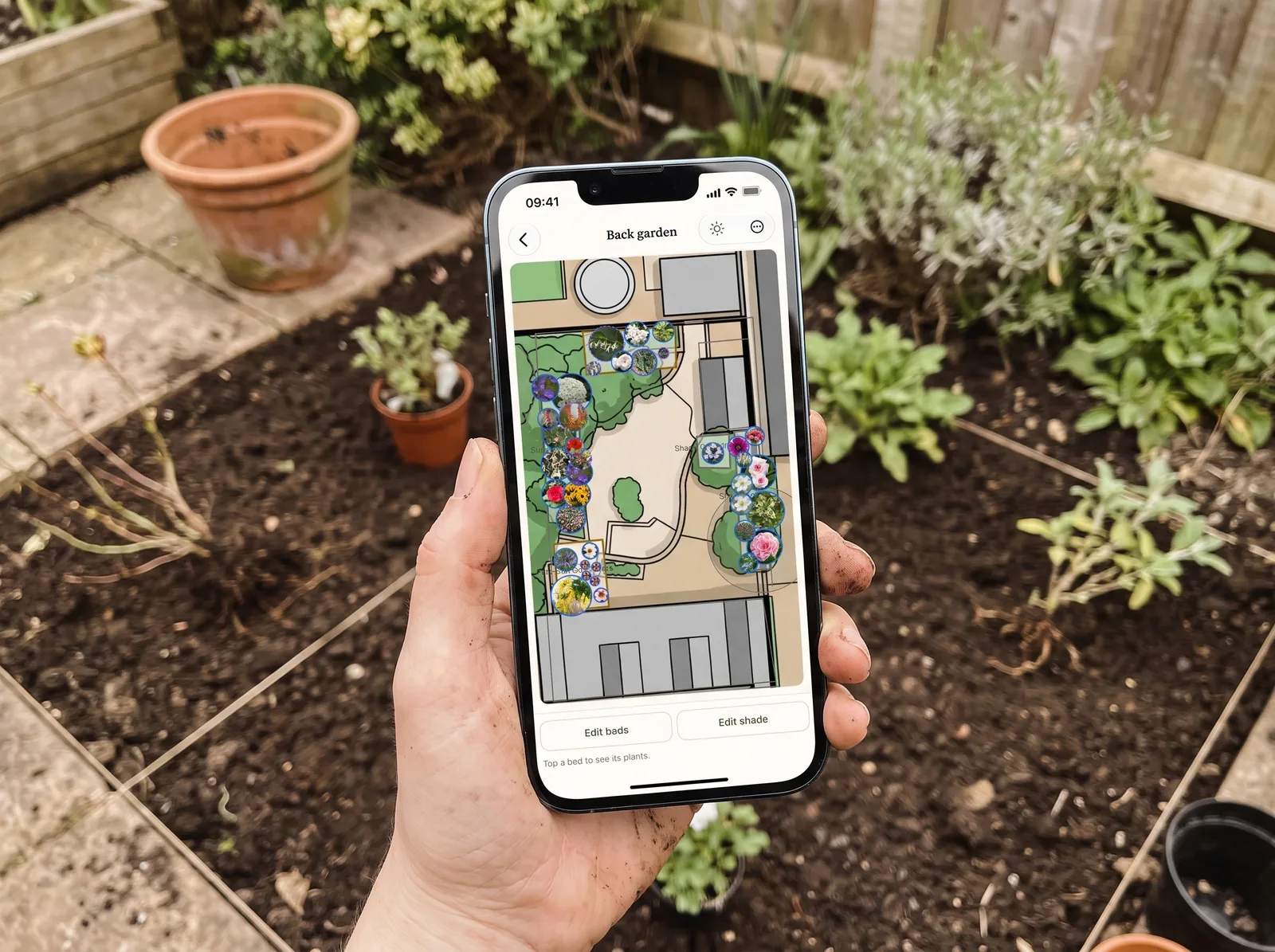
Your plot
Find your garden and get a sketch of your plot
Search your postcode or use your location, and frame your garden on the satellite map. In about thirty seconds, that view becomes a clean line-drawing sketch of your plot.
Give your garden a name, then draw your beds and borders straight onto the sketch.
- Start from your postcode or location
- A sketch of your plot in about 30 seconds
- Draw your beds where they really are
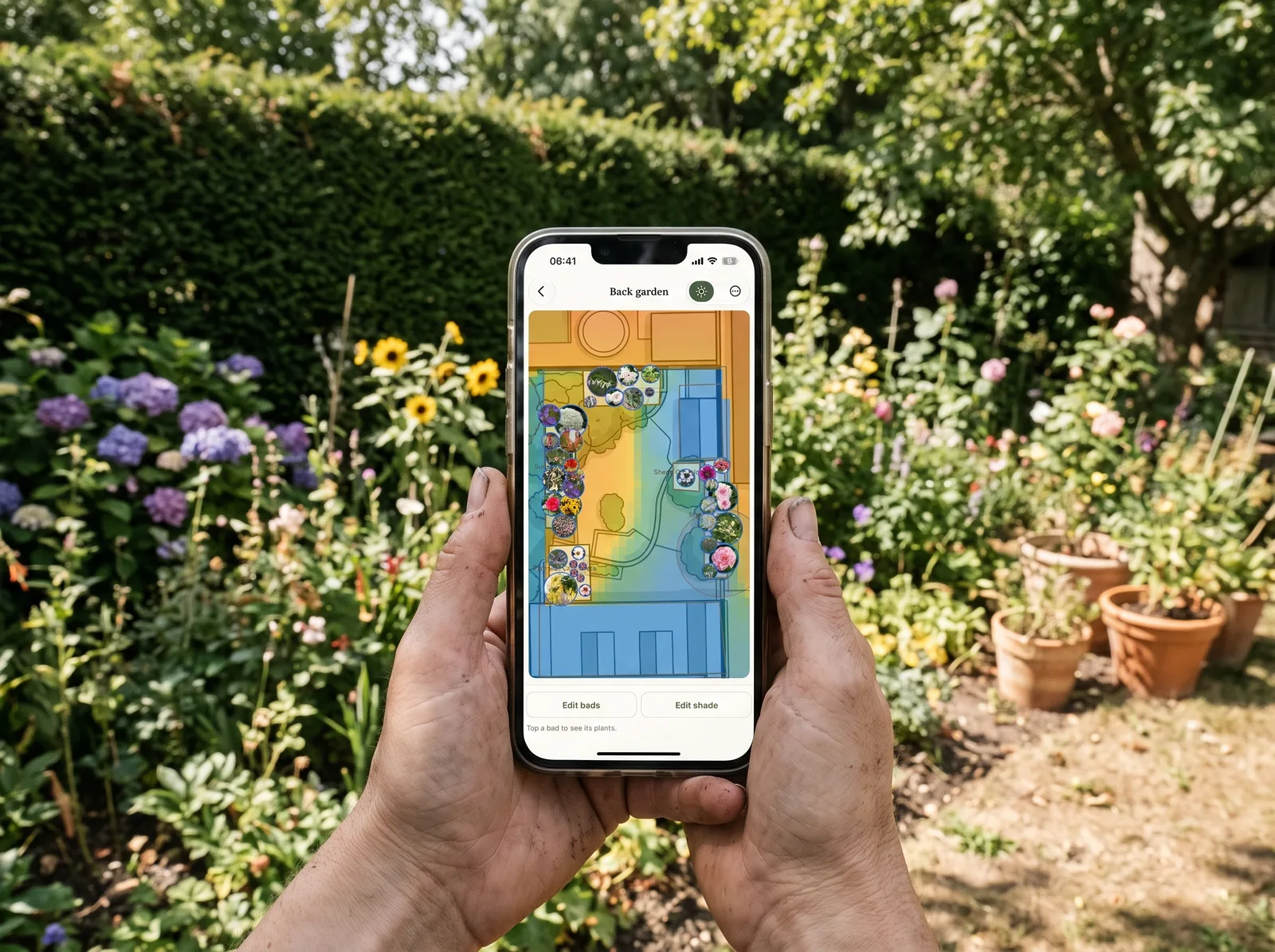
Sun and shade
Know how much sun every bed really gets
Mark what casts shade: trees, fences and buildings. Nearby buildings and their heights are added for you, so the neighbour's extension counts too.
Each bed then gets a sun reading, from full sun to full shade, worked out across the whole growing season rather than a single sunny afternoon.
- Nearby buildings added automatically
- A sun reading for every bed
- Worked out across the growing season
See the sun on your own beds.
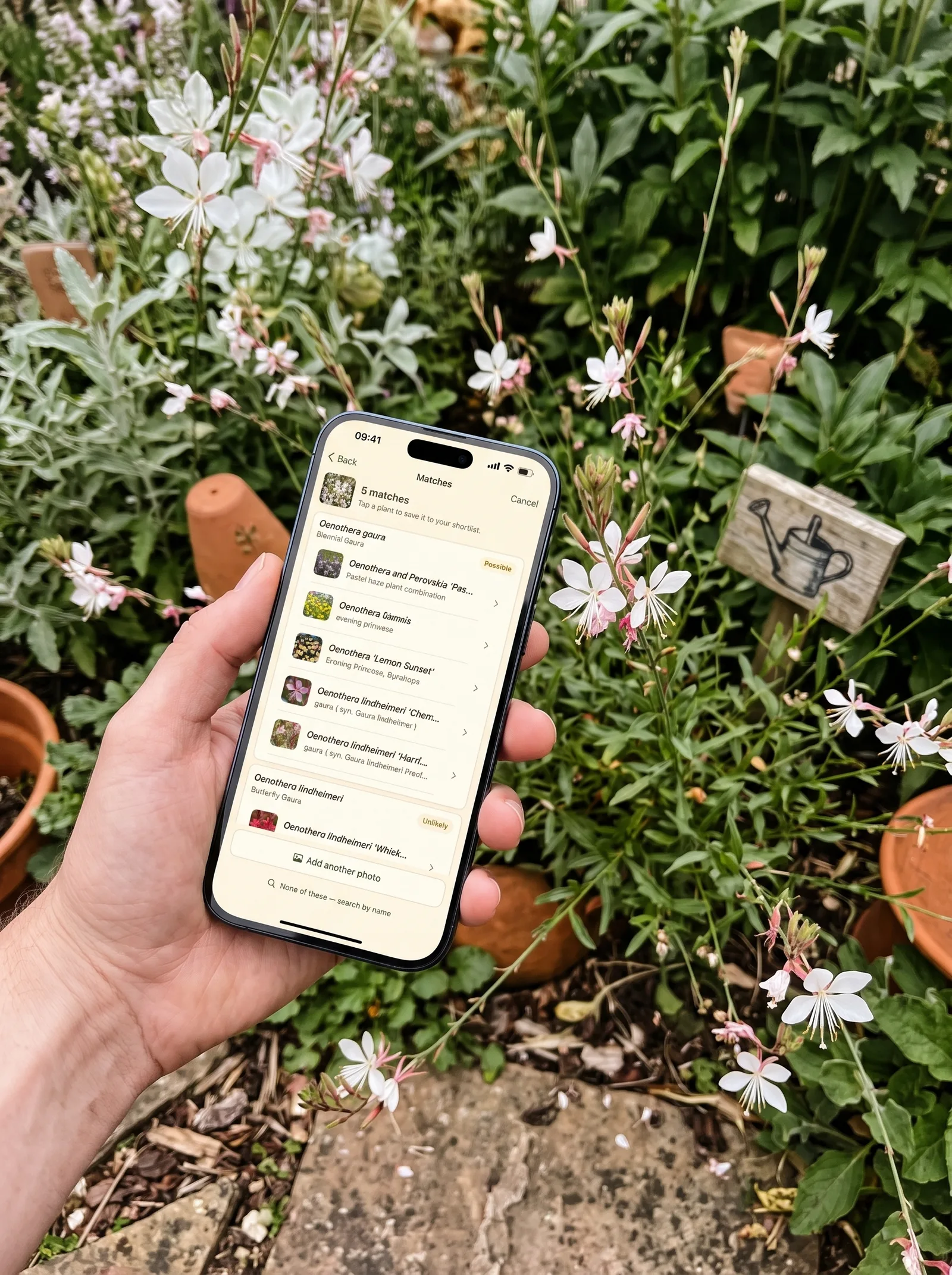
Identify
Record what's already growing
Photograph a plant and the app tells you what it is. Add it to the bed it's growing in, so your plan starts from the garden you actually have.
- Name a plant from one photo
- Keep a record of each bed's plants
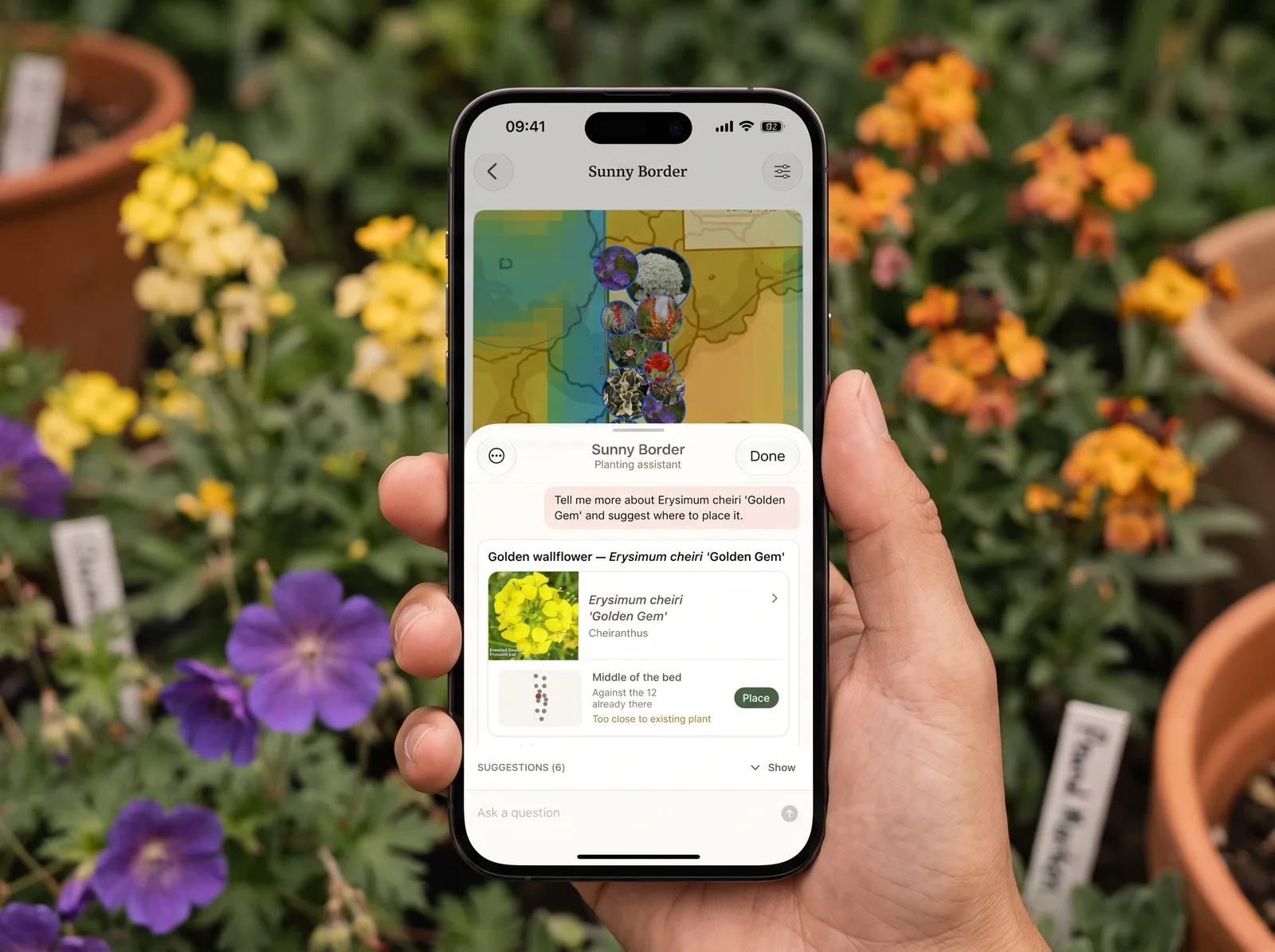
Planting assistant
Plant picks made for one bed, not every garden
Ask the planting assistant what to grow, and it suggests plants matched to that bed's real sun, soil and space, working around the plants already there.
Every pick comes with a suggested spot, so you can see where it would go. Set colour palettes you love and the soil in each bed, and the picks follow them.
- Matched to the bed's sun, soil and space
- Works around what you already grow
- A suggested spot for every pick
- Your colour palettes and soil, per bed
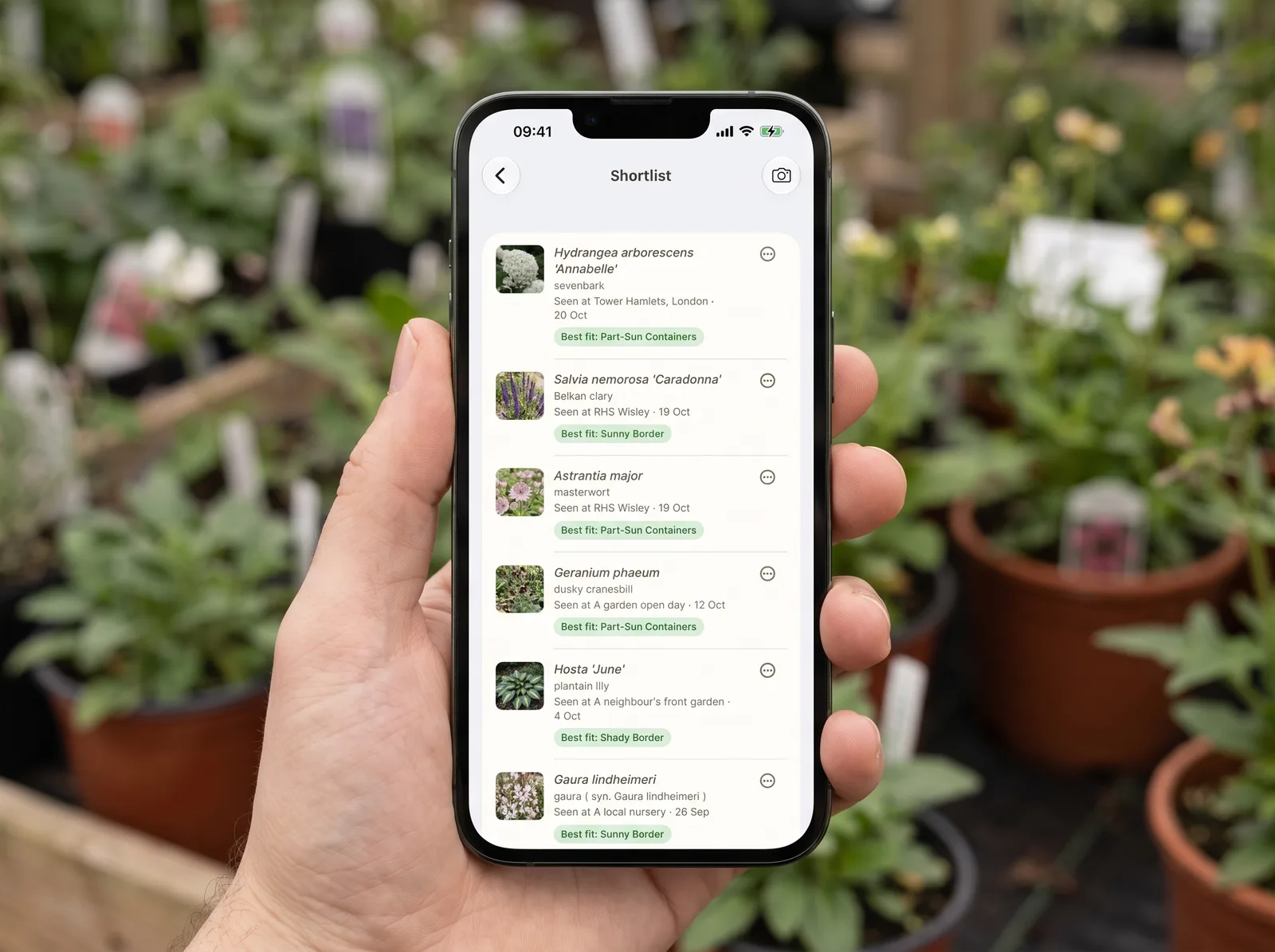
Shortlist
Seen a plant you love? Snap it
At a nursery, a friend's garden or over a neighbour's fence, snap the plant. It's saved to your Shortlist, one list for everything you've spotted.
Each plant shows the beds that suit it best. Ask the assistant to fit it in, or place it yourself.
- One list for every plant you spot
- See which of your beds suit it
- Ask the assistant or place it yourself
Start your Shortlist today.
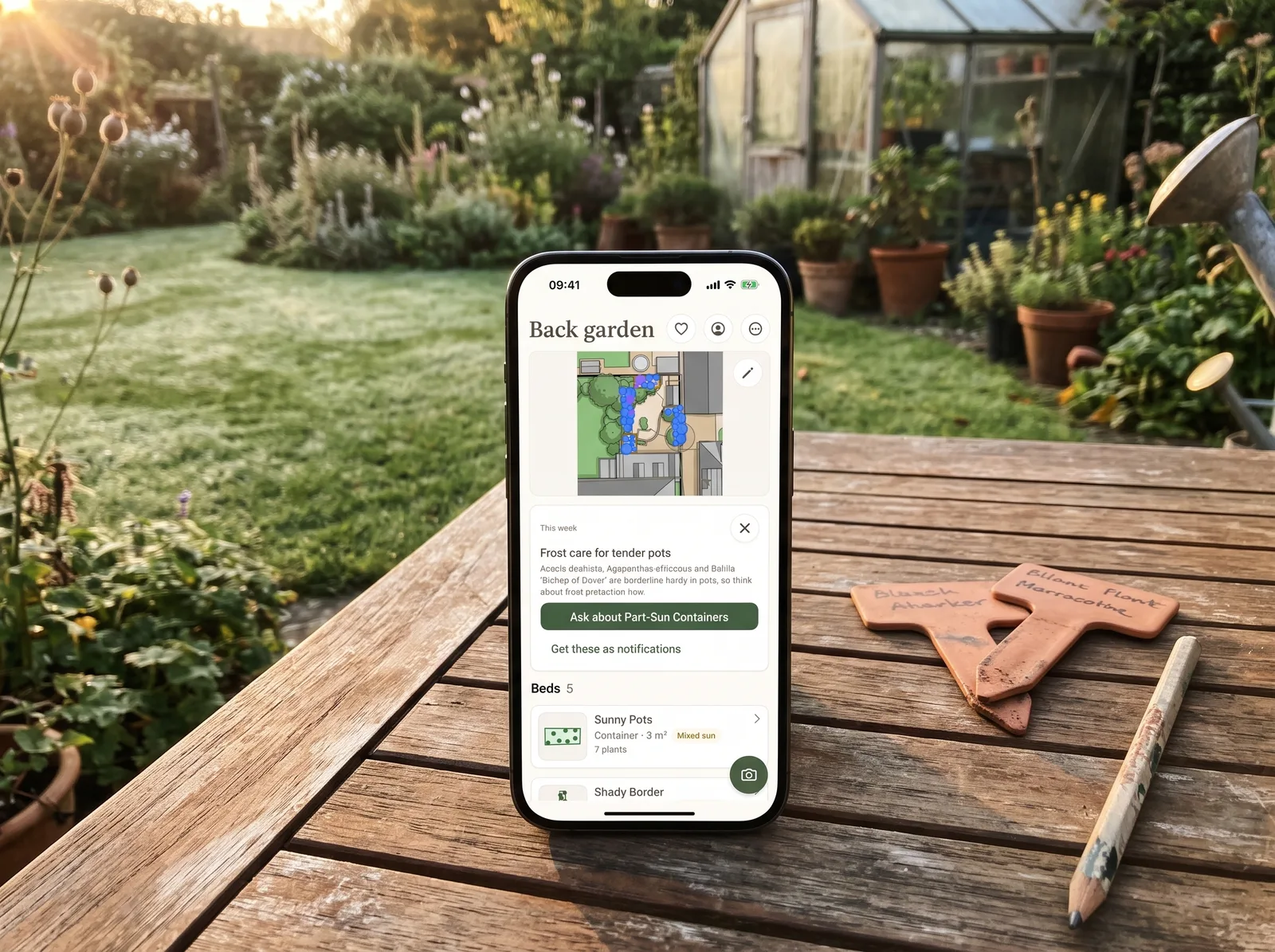
Daily briefings
A short garden briefing every morning
Each day the app sends a short briefing, as a notification and as a card on the app's home page: seasonal jobs, frost warnings, gaps worth filling, and new plants and genera that suit your beds.
It is about your garden, and there are no adverts.
- Seasonal jobs and frost warnings
- Gaps to fill in your beds
- New plants that suit your garden
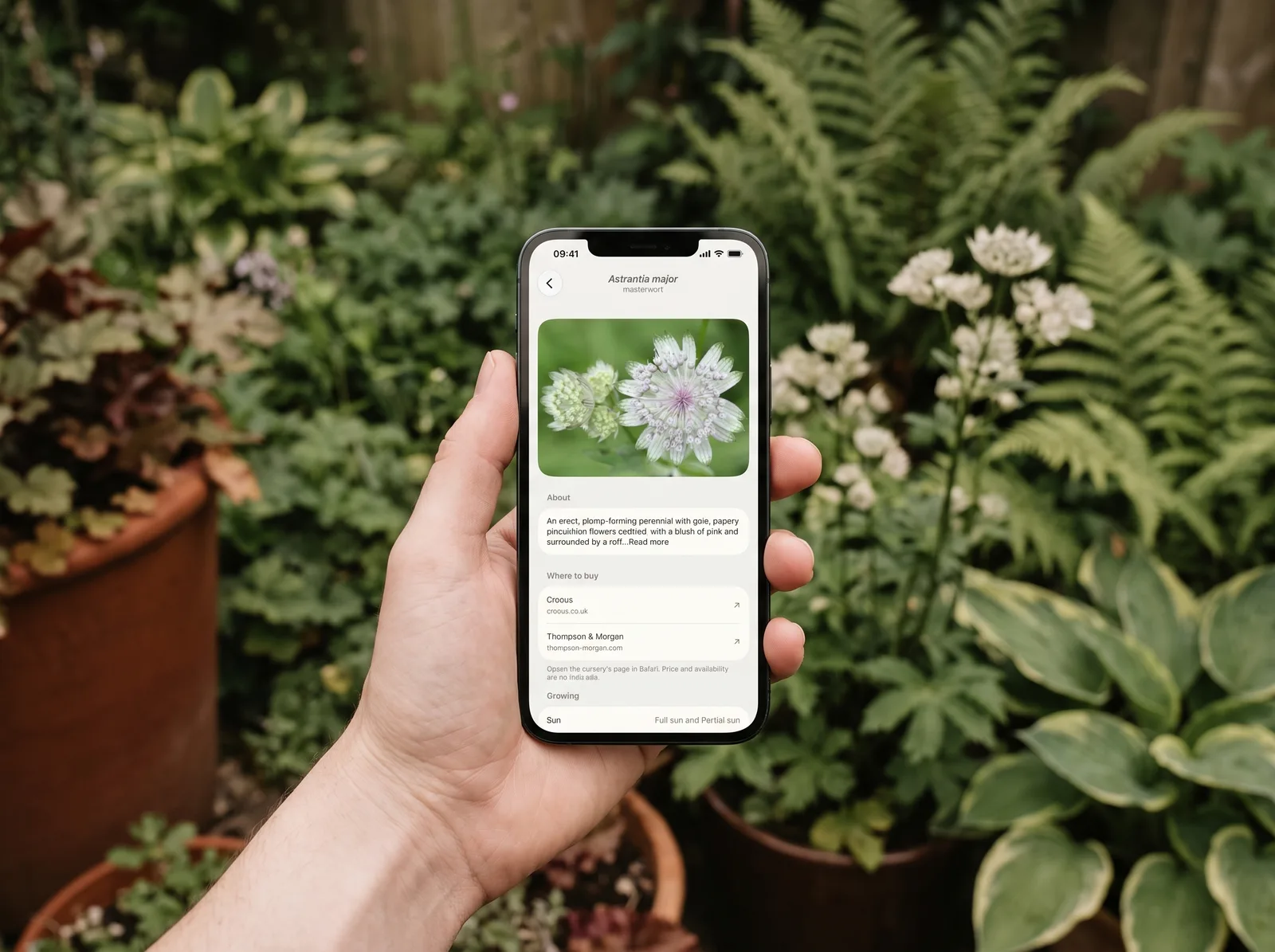
Plant details
Everything about a plant, and where to buy it
Every plant page puts the botanical name first, so you buy the right one. Read about the plant, how to grow it, what it looks like and how it works in a border.
Where to buy links straight to nurseries that sell it.
- Botanical name first
- Growing, appearance and border notes
- Links to nurseries that sell it
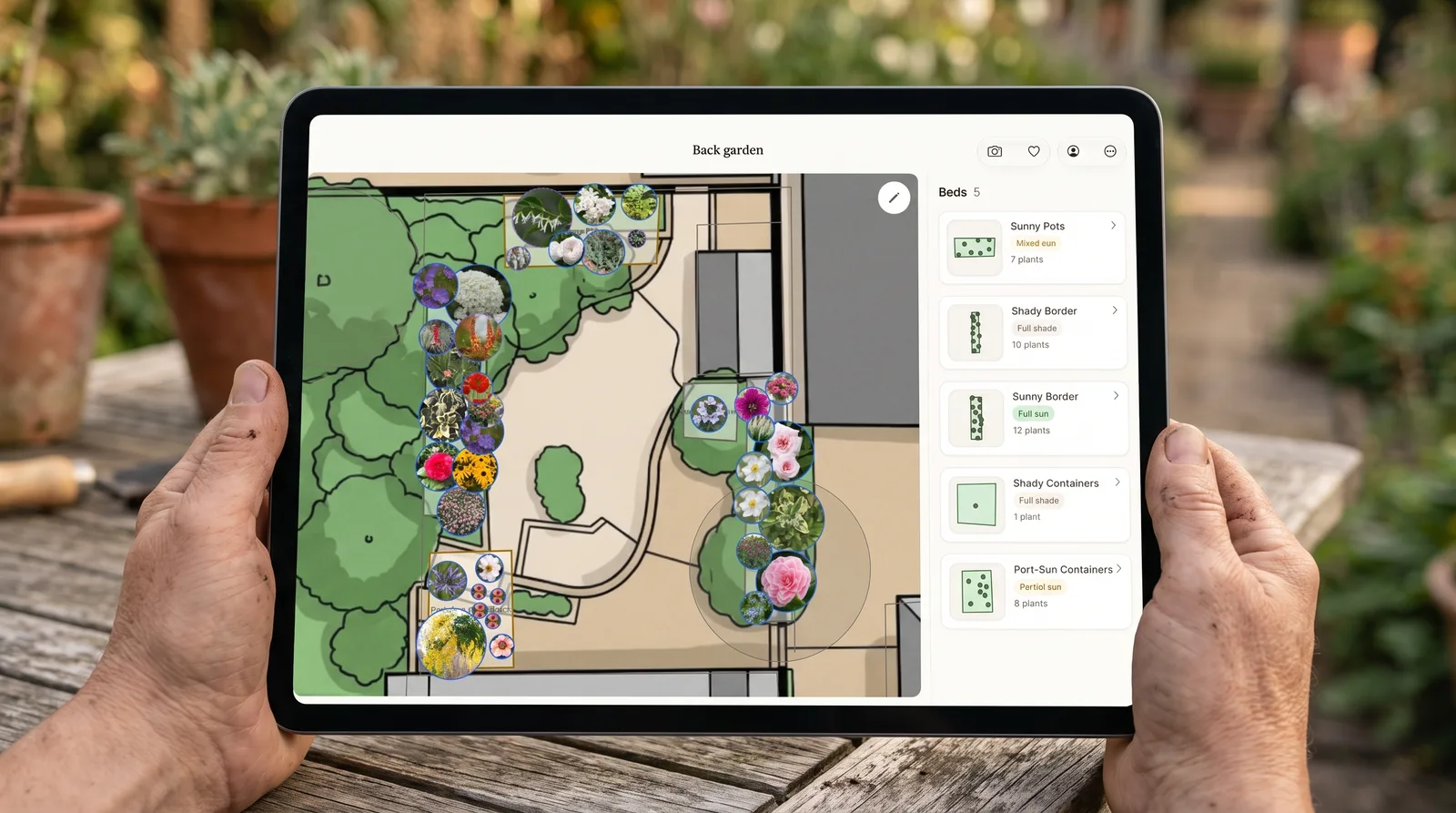
iPad and web
Plan on iPhone, iPad or in your browser
Right Plant, Right Place works on iPhone and iPad, with layouts made for the bigger screen. Prefer a keyboard? Open the web app and edit your garden in a browser.
One Planner subscription works in the app and on the web.
- iPhone and iPad
- The web app for editing in a browser
- One subscription for both
Give every plant its right place
Free on iPhone and iPad.

Scan with your iPhone